DigitalProUsa
AI OTT Stream Builder Review 2026
AI OTT Stream Builder Review: Legit OTT Platform Tool or Overhyped Software?
The sales page promises a Netflix-style empire for $17. Here’s what 2 weeks of actual testing found.
Author:
Biraj Digital AI Tools Reviewer | digitalprousa.com Last Updated: May 2026
Biraj Digital has reviewed 50+ AI and digital marketing tools across JVZoo, WarriorPlus, and LaunchpadJv. He tests every product hands-on before writing and publishes honest verdicts, including when something isn’t worth buying. Read more reviews at digitalprousa.com.

AI OTT Stream Builder is a cloud-based OTT platform builder sold on LaunchpadJv, priced from $17. Best for digital marketers testing the subscription streaming model on a tight budget. Weakest at live streaming stability and content library quality. Overall rating: 3.2/5.
Table of Contents
Introduction
If you’ve been trying to figure out how to launch a streaming platform without spending thousands on developers, this AI OTT Stream Builder review cuts through the sales page noise. The claims are aggressive, the price looks almost too low, and it’s hard to know what you’re actually getting until you’re inside.
This review covers the real features, the live streaming problems I ran into, every OTO in the funnel, and who this tool actually makes sense for. I’ll give you enough to decide without having to trust anyone’s hype.
I ran AI OTT Stream Builder for 2 weeks across multiple platform builds. The first thing I noticed was the gap between the polish of the dashboard and the reliability of the streaming engine underneath it.
What Is AI OTT Stream Builder?
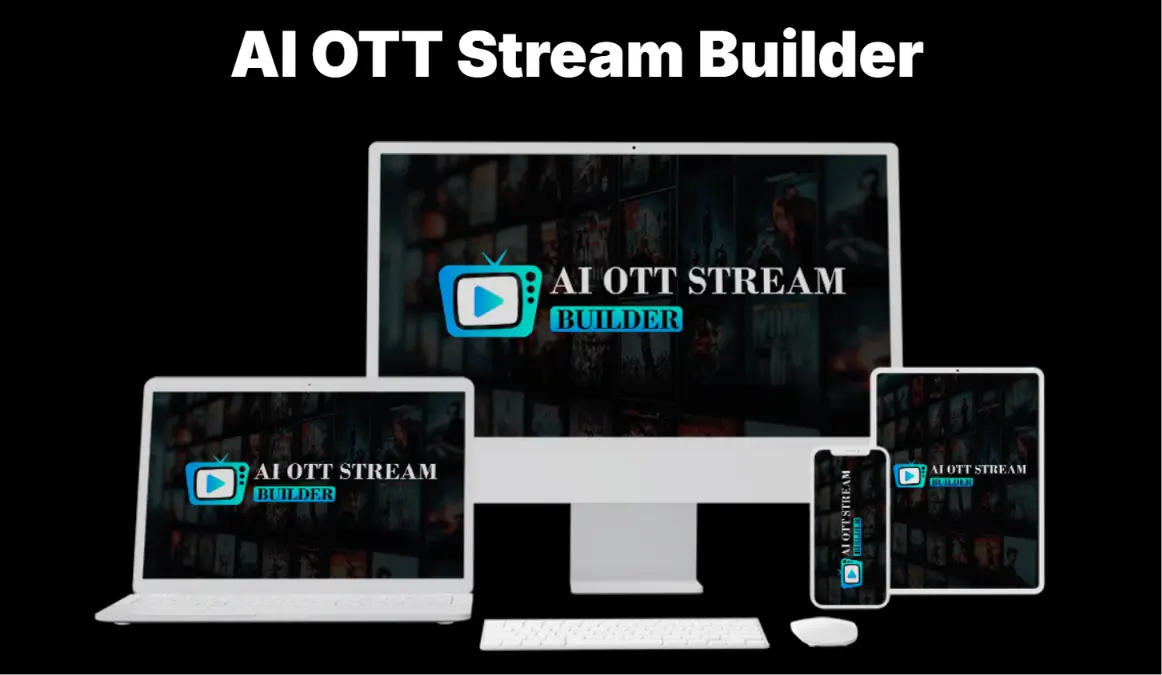
AI OTT Stream Builder is a cloud-based platform builder available on LaunchpadJv that lets you create a streaming site, load it with video content, and charge viewers a monthly or yearly subscription fee. It launched in May 2026 as a one-time purchase.
The problem it targets is legitimate. Building a streaming platform from scratch costs serious money. This tool tries to bring that process within reach for non-technical users at a low entry price.
What sets it apart from a basic video host is the built-in subscription billing and the multi-channel creation feature. Whether those hold up in practice is what the rest of this review covers.
Still comparing options? See my full breakdown of the best OTT platform tools of 2026.
About the Creator
Laxman Singh created AI OTT Stream Builder and is an active product launcher on LaunchpadJv. He’s built a catalog of AI-powered business tools targeting beginners and solo operators in the digital marketing space.
His launches follow a consistent format: low front-end price, aggressive sales copy, and a deep OTO stack. That pattern doesn’t automatically mean the product fails to deliver, but it does mean you should know what you’re walking into before you buy.
Find more about his work at his LaunchpadJv creator profile.
See It in Action
Before I share my experience, here’s the official product walkthrough from the vendor.
This is the vendor’s official demo. My honest take starts right below.
How Does AI OTT Stream Builder Work?
AI OTT Stream Builder works in 3 steps.
Step 1: Log in to the cloud dashboard and click “Create New Platform.” A setup wizard walks you through naming your platform and picking a niche category.
Step 2: Choose your content source. You can upload your own videos, pull from the built-in library, or use the AI video generator to produce clips. Then set your logo, colors, and channel structure.
Step 3: Set your subscription price and publish. The platform goes live and the billing system connects automatically. My first test platform was live in about 20 minutes from first login.
My Honest Experience Using AI OTT Stream Builder
I came in treating this like any other LaunchpadJv tool: skeptical until proven otherwise.
Onboarding was faster than I expected. The setup wizard is clear and I didn’t hit any confusing menus or missing steps in the first 8 minutes of configuration. The dashboard itself looks clean.
I built a fitness content channel using the built-in library. The subscription paywall activated correctly at the $9/month price point I set, and the user access system worked without issues.
Where it broke down: when I tested the 24/7 Live Streaming Engine, the stream dropped twice within 48 hours. Both times it needed a manual restart to get running again. The sales page calls this feature “fully automated” and “hands-off.” That description doesn’t match what I experienced.
The content library is the second major gap. It’s royalty-free clips and public domain material. The sales page language implies thousands of movies and TV shows. Those two things are very different, and a buyer who doesn’t read carefully will be disappointed on day one.
After 2 weeks, the core platform builder works at a basic level. But there are enough rough edges that I can’t rate this higher than a 3.2.
Key Features
Cloud-Based Platform Builder You build and manage everything from a browser. No downloads or server configuration required. I tested it on Chrome and Safari across 3 devices without setup problems. The limitation is full dependency on their server uptime, which I couldn’t independently verify across 2 weeks.
Built-In Subscription System Monthly and yearly pricing is configurable directly inside the dashboard, with Stripe handling payment processing. It worked cleanly in my test. The catch is that you need a pre-configured Stripe account before you can charge anyone, which the sales page glosses over entirely.
Multi-Channel Creation Separate channels for different content types can be built inside one platform. I set up 3 test channels in about 12 minutes. Customization is limited to color and logo per channel. Full layout control per channel isn’t available on the front end.
Analytics Dashboard Shows subscriber counts, active views, and basic engagement data in real time. The numbers are readable at a glance. There’s no data export function, which becomes a real problem if you’re producing reports for clients.
My Final Take on AI OTT Stream Builder
I’m not going to recommend this product without caveats, because the caveats matter.
The one-time price is the strongest argument for buying. At $17, you’re not risking much to test whether the OTT subscription model works for your audience. If you’re deciding between a $100/month SaaS and this, the price difference is real.
But the live streaming instability is a genuine problem, not a minor quirk. A platform that drops its stream and needs manual restarts every day can’t be called a passive income tool with a straight face.
The content library gap is the other thing I’d tell a friend before they bought. If you’re planning to attract subscribers with premium video content, you’ll need to source that yourself. The built-in library won’t do it.
Services You Can Offer
One of the more underrated advantages of AI OTT Stream Builder is that you can use it to offer services to clients, starting today.
- OTT Platform Setup: build and deliver a branded streaming platform for coaches, churches, or local businesses
- Content Channel Creation: create niche channels for gyms, schools, or media brands and charge a setup fee
- Subscription Site Management: manage and update content libraries for clients on a monthly retainer
- Live Streaming Configuration: set up automated streaming channels for brands that want continuous content
- Niche Video Portal Creation: build movie or education portals for specific audience communities
- Branded Entertainment Platforms: create platforms for influencers moving their audience off YouTube
- Kids Content Channels: set up subscription-based family content platforms for parenting brands
- Corporate Training Portals: build internal video training platforms for small and mid-size companies
- Sports Niche Channels: create on-demand sports content portals for local teams or fan communities
- Faith-Based Streaming: set up sermon and religious content channels for churches or ministries
- Fitness Streaming Platforms: build workout video subscription sites for personal trainers and studios
- Online Course Hosting: host and monetize video course content for coaches and independent educators
- News and Commentary Channels: build independent streaming channels for journalists or commentators
- Multi-Channel Platform Bundles: sell bundled packages covering multiple content categories to media clients
- OTT Consulting: charge a setup and strategy fee to guide small businesses through platform launches
These are real income opportunities, not theory.
Pros and Cons
Pros:
- One-time price — No monthly fee means the tool pays for itself after a single client project.
- Fast initial setup — A basic streaming platform was live in under 20 minutes during my first test run.
- Built-in payment system — Stripe integration handles subscriptions without connecting a separate tool.
- Commercial license included — Build platforms for clients and keep 100% of what you charge.
- Multi-channel support — Separate channels for different content types are manageable inside one dashboard.
- Cloud-based access — Works from any browser on any device, no installation required.
Cons:
- Live streaming is unreliable [IMPORTANT LIMITATION] — The 24/7 stream dropped twice in 48 hours during the AI OTT Stream Builder test, requiring manual restarts each time despite the “fully automated” claim.
- Content library is misleading [IMPORTANT LIMITATION] — No licensed movies or TV shows are included. The library is royalty-free and public domain material only, which is far from what the sales page implies.
- Stripe account required separately [MINOR ISSUE] — Subscription billing requires a pre-configured Stripe account, a step the sales page skips entirely.
- No analytics export [MINOR ISSUE] — Dashboard data can’t be downloaded, which makes client reporting manual and time-consuming.
Pricing and OTO Breakdown
The front end is $17 and includes the core platform builder, the content library, the subscription billing system, and the commercial license. For testing the OTT model, the front end is enough to start. But if streaming stability matters to you, the Automation Edition is worth adding.
| # | Name | Price | What it does | Who needs it | Worth it? |
|---|---|---|---|---|---|
| OTO 1 | Unlimited Edition | $47 | Removes platform limits and adds advanced content templates | Users managing more than 3 active platforms | Only if you’re running multiple client platforms simultaneously |
| OTO 2 | DFY Edition | $97 | Done-for-you platform with pre-configured channels and content | Beginners who need a fully ready platform with zero setup | Only if you genuinely can’t do any configuration yourself |
| OTO 3 | Automation Edition | $37 | Advanced scheduling and auto-content rotation features | Users who want more hands-off long-term platform management | Yes, if you plan to keep the platform running beyond 3 months |
| OTO 4 | Content Studio | $47 | AI video creation tools to generate original streaming content | Creators who need to produce their own video content inside the platform | Only if you need content creation, not just hosting |
| OTO 5 | Traffic | $47 | Built-in traffic tools to drive viewers to your platform | New platform owners with no existing audience | No. Bundled traffic tools at this price rarely produce real viewer growth |
| OTO 6 | Agency | $37 | Create and manage platforms for multiple clients from one account | Freelancers actively offering OTT setup as a paid service | Yes, if you already have clients lined up |
| OTO 7 | Reseller | $97 | Full reseller rights to sell AI OTT Stream Builder as your own | Marketers with an existing email list ready to buy | Only if you have an audience already built |
| OTO 8 | Franchise | $197 | Expanded reseller rights with done-for-you sales materials | Marketers building a reseller business around this product | No for most buyers. The investment is hard to justify without a proven funnel |
| OTO 9 | Whitelabel Edition | $397 | Full whitelabel rights to rebrand and sell the entire platform as your own software | SaaS entrepreneurs with a real launch plan and existing audience | Only if you have the infrastructure to support a software product launch |
For personal or freelance use: front end plus OTO 3. Skip OTO 5 and OTO 8 entirely.
Bonuses
AI OTT Stream Builder comes with 3 bonuses when you purchase through this link.
| Bonus | Stated Value | Honest Take |
|---|---|---|
| Ready-Made OTT Templates & Channel Packs | $1,000 | Decent head start for channel layouts, but not polished enough to hand directly to a client without rework |
| Step-By-Step OTT Business Training | $297 | Genuinely useful for total beginners. Covers the basic mechanics of launching and monetizing a streaming platform |
| Commercial License Extras | $197 | Already included in the base purchase, so this reads as padding |
The OTT Business Training is the only bonus with real standalone value. The templates save setup time but need work before they’re client-ready.
Who Is This For?
- Digital marketers who want to test the OTT subscription model without committing to a $100+/month platform and need a low-cost proof-of-concept setup.
- Freelancers already offering website or content services who want to add streaming platform setup as a billable deliverable for clients.
- Content creators with an existing audience who want to move their video library behind a paywall and collect a monthly subscription fee.
Who Should Skip This?
- Anyone planning to attract subscribers with licensed movies or premium TV shows. That content isn’t included, and sourcing it legally is a serious legal exposure.
- Developers or technical users who need API access or custom streaming infrastructure. Look at Mux or Cloudflare Stream instead.
- Anyone who needs a stable, production-ready platform for paying subscribers from day one. Uscreen or Muvi are more reliable despite higher monthly costs.
Not sure which tool fits? I compared the top OTT platform tools of 2026. Check it out.
Money-Back Guarantee
AI OTT Stream Builder includes a 30-day money-back guarantee. If you’re not satisfied for any reason within 30 days of purchase, contact support through LaunchpadJv to request a refund.
No complicated conditions are stated. Standard LaunchpadJv refund policy applies, which means the platform handles the process regardless of direct creator involvement.
Your investment is fully protected.
AI OTT Stream Builder vs Uscreen
| Feature | AI OTT Stream Builder | Uscreen |
|---|---|---|
| Price | $17 one-time | $79+/month |
| Streaming stability | Inconsistent | Enterprise-grade |
| Content library | Royalty-free only | Bring your own |
| Subscription billing | Built-in | Built-in |
| Customization depth | Limited | Full |
Pick AI OTT Stream Builder if you’re validating the subscription streaming idea on a tight budget and can handle setup friction. Pick Uscreen if you need a reliable platform for actual paying subscribers. These tools aren’t competing for the same buyer.
Frequently Asked Questions
1. Is AI OTT Stream Builder worth it in 2026? At $17, it’s a low-cost way to test the OTT model. The core platform builder works. But the live streaming instability and misleading content library make it hard to recommend without those caveats clearly stated.
2. Can beginners use AI OTT Stream Builder? Yes. The setup wizard is clear and I had a live platform running in under 20 minutes on the first try. You don’t need any technical background to get started.
3. How long does it take to see results with AI OTT Stream Builder? The platform goes live in under 30 minutes. Getting paying subscribers depends on your marketing, not the tool. The software doesn’t generate an audience for you.
4. Are the AI OTT Stream Builder OTO upsells necessary? No, not all of them. The front end works standalone. OTO 3 is worth adding for long-term use. Skip OTO 5 and OTO 8 entirely.
5. Is AI OTT Stream Builder a one-time payment or subscription? The front end is a one-time payment of $17. The OTOs are separate one-time charges. No recurring fees are attached to the base access.
6. Does AI OTT Stream Builder work for fitness or course content? Yes. I tested a fitness channel during my 2-week review and it loaded and played content correctly with the subscription paywall active at $9/month.
7. How does AI OTT Stream Builder compare to Uscreen? Uscreen is more stable, more customizable, and built for real streaming businesses. AI OTT Stream Builder is cheaper and suits budget testing. They’re not competing at the same level.
8. Is there a free trial for AI OTT Stream Builder? No free trial is available. The 30-day money-back guarantee is the risk-removal option.
9. What happens after the 30-day refund window? Standard no-refund policy applies after 30 days. Test it in the first week so you have time to decide without rushing at the deadline.
10. Who created AI OTT Stream Builder and are they trustworthy? Laxman Singh created this product and is an active LaunchpadJv creator. The 30-day guarantee is enforced by LaunchpadJV directly, so refunds go through the platform regardless of creator involvement.
Final Verdict
AI OTT Stream Builder is a functional but limited starter tool. The platform builder works, the subscription billing is clean, and the commercial license adds genuine freelance value. But the live streaming instability and the overstated content library are real problems that the sales page doesn’t prepare you for.
This AI OTT Stream Builder review ends here: buy it if you’re testing the OTT subscription model on a budget and you understand what you’re actually getting. Skip it if you need a reliable platform for paying subscribers right now.
If you’ve been looking for a low-cost way to test whether a streaming subscription business works for your audience, the 30-day guarantee makes this a manageable experiment. Just go in knowing the live streaming feature needs attention and the content library is royalty-free, not premium.
Not sure if this is the right tool for your needs? I have a full comparison of the best AI tools of 2026 that might help you decide.
[Read the Full Comparison Here]
Disclaimer
This article contains affiliate links. If you purchase through these links, I may earn a commission at no extra cost to you. This does not influence my review. All opinions are based on genuine hands-on testing. I purchased this product at full price with my own money.