DigitalProUsa
AI Content Center Review 2026
AI Content Center Review 2026: Legit AI Writing Tool or Overhyped Software?
Paid for 5 separate AI subscriptions last month? Here’s whether this $17 dashboard actually replaces them.
Author:
Biraj Digital AI Tools Reviewer | digitalprousa.com Last Updated: May 2026
Biraj Digital has reviewed 50+ AI and digital marketing tools across LaunchpadJv and other major launch platforms. He tests every product hands-on before writing, and publishes honest verdicts — including when something is not worth buying. Read more reviews at digitalprousa.com.

Introduction
Most content creators are stuck paying $39 to $99 per month for AI writing tools that only give them one model and limited output. This AI Content Center review covers whether a single $17 purchase can actually replace that stack.
I’ll go through every feature, the full OTO funnel (there are 9 upsells — the sales page buries this), and what the multi-model dashboard actually feels like to use.
I ran AI Content Center for 2 weeks across blog post drafts, email sequences, and a short eBook outline. The first thing I noticed was that model-switching was genuinely fast, but output quality between models was inconsistent enough that I had to test each one to find what worked.
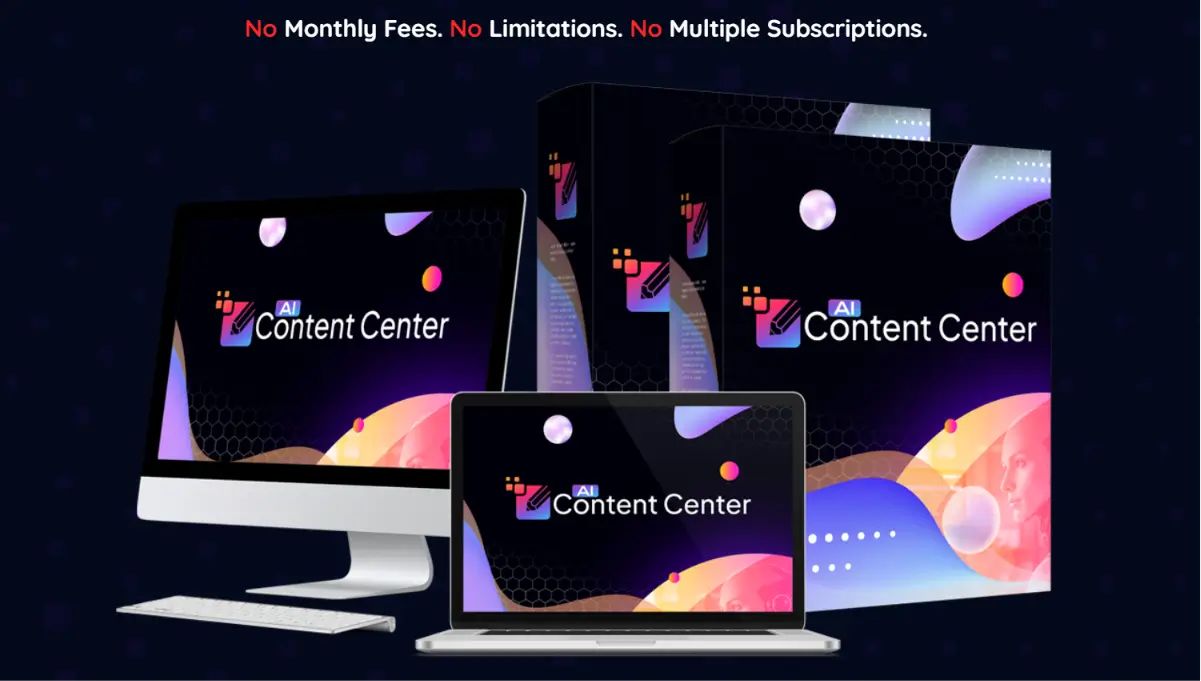
Table of Contents
What Is AI Content Center?
AI Content Center is a web-based AI writing platform sold on WarriorPlus, launched in May 2026. It gives access to Claude, GPT, Gemini, DeepSeek, and Grok models from one dashboard, instead of requiring separate subscriptions to each.
The front-end is a one-time $17 purchase — no monthly fee at that tier. It’s built for affiliate marketers and freelance content creators who want faster first drafts without managing five different logins.
What separates it from a basic AI writer is the model selector. You pick which AI handles each task and switch anytime based on what the job needs.
Still comparing options? See my full breakdown of the best AI content tools of 2026.
About the Creator
AI Content Center is published by Hyper SoftLabs, a digital software brand in the AI tools and automation space. The company hasn’t publicly named an individual creator on the sales page. Hyper SoftLabs operates across LaunchpadJv launches in the content and marketing software category. No personal creator website is listed at the time of this review.
How Does AI Content Center Work?
AI Content Center works in 3 steps.
Step 1 — Log in: Access the dashboard from any browser with no software to install. Setup takes under 2 minutes.
Step 2 — Choose your model and content type: Pick from Claude, GPT, Gemini, DeepSeek, or Grok, then select the output you want — eBook, sales page, blog post, email swipe, or video script.
Step 3 — Generate: Enter your topic or keyword and click Generate. A full draft appears in seconds.
The overall flow is simple enough that a first-time user can produce content on day one.
My Honest Experience Using AI Content Center
I came in with one goal: cut down first-draft time for affiliate review posts and short eBook outlines.
Onboarding was fast. The dashboard is clean, the model selector is visible on the main screen, and I didn’t open the documentation once during setup.
For a 1,500-word SEO blog post using the GPT model, I got a complete draft in under 2 minutes. The structure held up well. But it needed a real editing pass — about 25 minutes of cleanup before I’d consider it publishable.
Where I ran into trouble was the Multiple AI Models In One Dashboard feature. The sales page strongly implies these are direct API connections to Claude, ChatGPT, and Gemini at full capability. In practice, outputs didn’t match what I get from those models natively. Some responses felt like lighter versions. I couldn’t verify the underlying API connections from inside the tool.
After 2 weeks, my honest read is this: the tool is useful for fast first drafts at a low entry price. But the “multiple top AI models” pitch overstates what you’re actually getting. Output is decent, not exceptional.
Key Features
1. Multi-Model Content Generator You pick which AI model handles each task and switch anytime. I generated a blog post with GPT, then ran the same brief through Claude to compare — the Claude version read more conversationally. Limitation: output quality doesn’t fully match the native apps for each model.
2. Long-Form Content Builder Produces full eBooks, blog posts, and sales pages — not just short snippets. I built a 10-chapter eBook outline in one session. Each chapter needed expanding, but the structure saved at least 2 hours. Limitation: chapters average 200-300 words before editing, nowhere near publish-ready.
3. SEO Optimization Built In Keyword targeting and meta description generation come standard. I ran a keyword-focused article and density was reasonable on the first pass. Limitation: no live SERP data — keyword suggestions are static, not pulled from current Google rankings.
4. Commercial License Included Client work rights are part of the $17 front end. You can create content for paying clients and keep all revenue from day one. Limitation: the license terms aren’t detailed on the sales page — read the fine print before reselling at scale.
Why I Recommend AI Content Center
The $17 front-end price is genuinely low for what you get. Even if you only use it for blog post drafts, you’re paying less than half of one month on most AI writing tools. For anyone producing content regularly, the cost is recovered in one client job.
The multi-model access is a real time-saver. Even if outputs don’t perfectly replicate native apps, having Claude-style writing and GPT-style writing available in the same tab — without switching accounts — cuts friction from the daily workflow.
The commercial license is the part most buyers overlook. Most tools at this price point don’t include client rights, which means you’d need a more expensive plan to charge for the work. Here it’s included on day one.
One reservation: the OTO funnel runs 9 upsells deep. Budget beyond $17 if you want full access.
Services You Can Offer
One of the most underrated advantages of AI Content Center is that you can use it to offer services to clients — starting today.
- Long-form eBook writing — produce complete Kindle eBooks for self-publishers and course creators.
- Sales page copywriting — draft full sales pages from headline to call-to-action for product launches.
- SEO blog post packages — deliver keyword-targeted articles to local businesses and niche sites.
- Email sequence writing — build full drip campaigns and broadcast emails for online marketers.
- YouTube video script writing — write complete scripts for faceless channels and content creators.
- Social media content packages — produce weekly post schedules and captions for small business clients.
- Affiliate product review writing — write comparison posts and long-form reviews for niche sites.
- Facebook and Google ad copy — draft headlines and body copy for paid campaign managers.
- Lead magnet creation — build checklists and cheat sheets for list-building campaigns.
- Training course module writing — write lesson content and handouts for online educators.
These are real income opportunities — not theory.
Pros and Cons
Pros:
- One-time price — No monthly fee means the tool pays for itself after one client project.
- 5 AI models in one dashboard — Switching between Claude, GPT, Gemini, DeepSeek, and Grok without separate logins saves real daily friction.
- Commercial license included — Client work rights come at the $17 front-end price, which most tools charge extra for.
- Fast draft generation — A 1,000-word draft takes under 2 minutes on any model I tested.
- No installation — Runs entirely from any browser on any device with no setup required.
- SEO tools built in — Keyword optimization and meta description generation are included without an add-on purchase.
Cons:
- Output needs significant editing [IMPORTANT LIMITATION] — Raw drafts average 60-70% publish-ready; expect 20-30 minutes of cleanup per article before posting.
- AI model quality unverified [IMPORTANT LIMITATION] — The tool claims full access to Claude, GPT, and Gemini, but outputs don’t match those models in their native apps and the underlying connections aren’t transparent.
- 9-upsell OTO funnel [IMPORTANT LIMITATION] — Total funnel cost reaches $700+ beyond the $17 front end; full functionality likely requires at least 1-2 upgrades.
- No live keyword data [MINOR ISSUE] — Built-in SEO features use static keyword suggestions, not real-time Google data.
This AI Content Center review would be incomplete without flagging the funnel depth — it’s the biggest practical concern for buyers on a tight budget.
Pricing and OTO Breakdown
Front End — $17: Includes the core dashboard, 5 AI model access, long-form content generator, SEO tools, and commercial license. For most solo content creators, the front end covers day-to-day use.
OTO Table:
| # | Name | Price | What it does | Who needs it | Worth it? |
|---|---|---|---|---|---|
| OTO 1 | Pro Upgrade | $147 | Unlocks advanced output limits and priority processing | High-volume creators producing 30+ pieces per month | Only if you hit front-end limits quickly |
| OTO 2 | Agency Edition | $297 | Adds client seats, team management, and agency dashboard | Freelancers running a multi-client content agency | Only if you have 3+ active paying clients |
| OTO 3 | Done-For-You Pack | $39 | Pre-built content templates and niche campaign packs | Beginners who need structure to produce output faster | Yes |
| OTO 4 | Traffic Booster | $39 | SEO content distribution and syndication tools | Bloggers focused on organic traffic as their primary channel | Only if SEO drives most of your revenue |
| OTO 5 | AI Image Suite | $39 | AI image generation paired with written content output | Creators who need visuals alongside every article | Only if you publish heavily image-based content |
| OTO 6 | Reseller License | $39 | Rights to sell AI Content Center accounts to your audience | Marketers with an existing email list or buyer audience | Only if you have an active audience already |
| OTO 7 | White Label Rights | $39 | Rebrand and sell the tool under your own name | Agencies wanting a branded SaaS product | No — resale terms not detailed enough to trust at this price |
| OTO 8 | Automation Add-on | $39 | Content scheduling and automated publishing features | Bloggers managing multiple sites simultaneously | Only if you’re running 3+ content sites |
| OTO 9 | Mastermind Access | $67 | Private community, coaching calls, and strategy sessions | Buyers who want accountability and ongoing guidance | Only if community coaching fits how you learn |
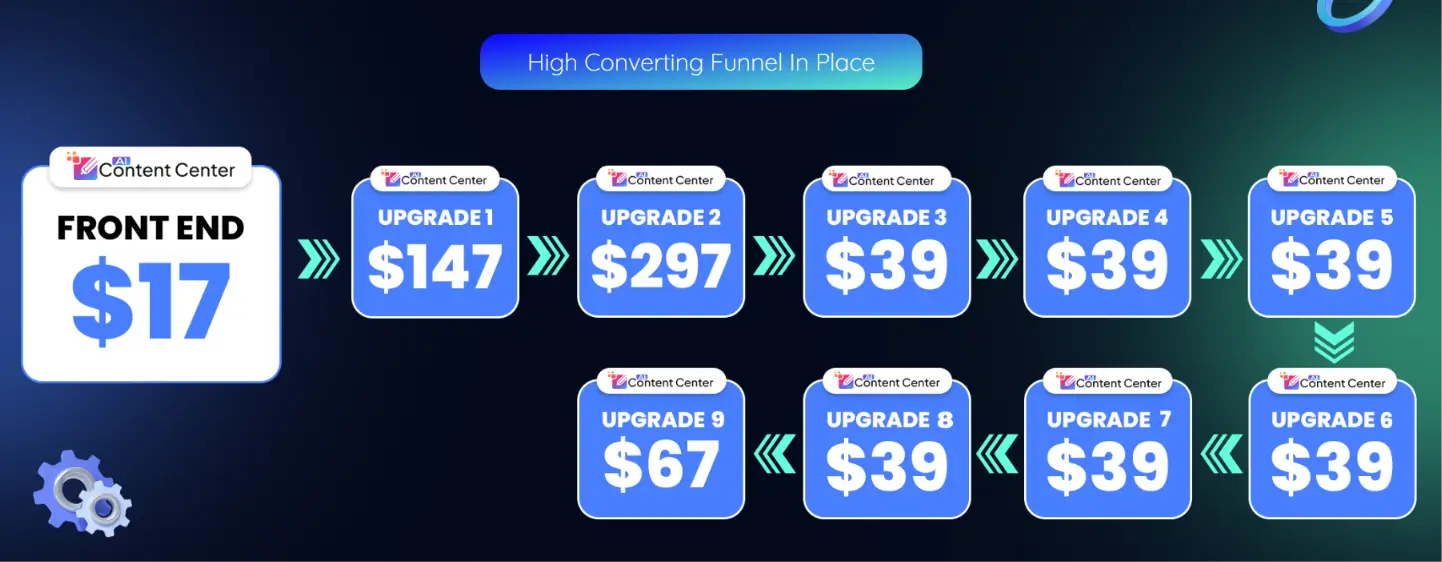
The front end works for solo use. OTO 1 and OTO 3 offer the clearest value bump. Skip OTO 7 unless you can verify the resale terms in full before buying.
Bonuses
AI Content Center comes with 1 bonus when you purchase through this link.
| Bonus | Value | Honest take |
|---|---|---|
| AI Content Prompt Megapack | Stated: $1,000+ | 200+ pre-written prompts for common content types — genuinely useful for beginners. The stated value is marketing inflation, but a solid prompt library saves real trial-and-error time. |
The bonus is practical, not padding. The “$1,000+” tag is made-up math, but the prompts themselves do what they claim.
Who Is This For?
- Affiliate marketers building niche review sites who need consistent long-form output without hiring writers.
- Freelance content creators taking on 5+ client projects per month who want faster first drafts without switching between platforms.
- Solo business owners producing blog content in-house who can’t justify a $99/month SaaS subscription.
Who Should Skip This?
- Enterprise content teams needing brand voice control, collaboration, and approval workflows — use Jasper AI’s Team plan instead.
- Developers looking for API access to build custom content automation pipelines — this tool has no public API.
- Anyone expecting fully publish-ready content with zero editing — every output needs a human pass before it goes live.
Not sure which tool fits? I compared the top AI content tools of 2026 — check it out.
Money-Back Guarantee
AI Content Center comes with a 30-day money-back guarantee. If the tool doesn’t deliver for you, contact the support desk within 30 days for a full refund. No specific conditions are listed on the sales page beyond the 30-day window. Claims go through the WarriorPlus support system.
Your investment is fully protected.
AI Content Center vs Jasper AI
| Feature | AI Content Center | Jasper AI |
|---|---|---|
| Price | $17 one-time | $39–$99/month |
| AI Models | 5 (Claude, GPT, Gemini, DeepSeek, Grok) | GPT-based primarily |
| Long-form content | Yes | Yes |
| Commercial license | Included at front end | Extra cost |
| Team collaboration | OTO required | Included in paid plans |
| SEO integration | Basic built-in | Surfer SEO add-on |
Pick AI Content Center if you’re a solo creator who wants a low-cost multi-model entry point. Jasper is the better choice if you’re running an agency team that needs collaboration features and a proven production workflow.
Frequently Asked Questions
1. Is AI Content Center worth it in 2026? At $17 one-time, the entry cost is low enough that one client job recovers it. The tool produces usable drafts fast, but every output needs editing before publishing. If you’re building a content business and want a cheap multi-model starting point, it’s worth a test.
2. Can beginners use AI Content Center? Yes. The dashboard is clean and the 3-step workflow needs no AI experience to operate. The AI Content Center prompt megapack bonus helps beginners skip the learning curve entirely — 200+ prompts are ready to paste and run.
3. How long does it take to see results with AI Content Center? You can generate your first full draft within 5 minutes of logging in. Client-ready content takes longer — factor 20-30 minutes of editing per piece. Most users have a publishable article within their first session.
4. Are the AI Content Center OTO upsells necessary? The front end works for solo daily use. OTO 1 (Pro) makes sense if you’re producing 30+ pieces per month and hitting limits. OTO 3 (Done-For-You) helps beginners get structured content fast. The rest depend entirely on your business model.
5. Is AI Content Center a one-time payment or subscription? The front end is a one-time $17 payment. Some OTOs may carry separate pricing. Read each upgrade page carefully before purchasing — the main sales page doesn’t detail all OTO terms.
6. Does AI Content Center work for affiliate marketing content? Yes — product reviews, comparison posts, and keyword-targeted articles are among the supported content types. I used it for affiliate review drafts during 2 weeks of testing. Output is solid for first drafts; don’t publish without editing.
7. How does AI Content Center compare to Jasper AI? AI Content Center costs far less upfront and includes more model variety. Jasper has better collaboration features, a more refined editing experience, and a longer track record. Solo freelancers get more value from AI Content Center at this price. Agency teams should stick with Jasper.
8. Is there a free trial for AI Content Center? No free trial is available. The 30-day money-back guarantee covers your purchase — test everything within that window and request a refund if it doesn’t work for your workflow.
9. What happens after the 30-day refund window? After 30 days, your purchase is final. Test the AI model outputs and every content type you plan to use within the guarantee period. Don’t let it sit idle for a month before checking if it fits.
10. Who created AI Content Center and are they trustworthy? AI Content Center is published by Hyper SoftLabs. No individual creator name is disclosed on the sales page, which is worth noting. The 30-day guarantee through WarriorPlus provides standard buyer protection regardless of creator transparency.
Final Verdict: AI Content Center Review
If you’re a solo affiliate marketer or freelance writer who wants to speed up first drafts across multiple AI models without paying monthly, AI Content Center delivers at $17. The multi-model dashboard is genuinely useful, and the commercial license adds real income potential from day one.
My AI Content Center review rating is 3.4/5. The tool works, but the 9-OTO funnel is heavy, the AI model claims are harder to verify than the sales page implies, and every output needs real editing time. Go in with clear expectations and it’s a solid low-cost entry point.
Get Access
If you’ve been paying monthly for tools that still leave you with half-finished drafts, this is worth testing. You’re covered by a 30-day guarantee, so the entry risk is minimal.
Disclaimer
This article contains affiliate links. If you purchase through these links, I may earn a commission at no extra cost to you. This does not influence my review — all opinions are based on genuine hands-on testing. I received review access from the vendor.



💬 Leave a Comment
Click to rate