AI client deliverables checklist
Home / AI Tools / AI client deliverables checklist AI buying guide AI Client Deliverables Checklist: Review Before Handover By
DigitalProUsa
AI Coaching Brain Review 2026
You already have the knowledge. The question is whether this tool can actually turn it into something people will pay for.
Biraj Digital AI Tools Reviewer | digitalprousa.com Last Updated: May 2026
Biraj Digital has reviewed 50+ AI and digital marketing tools across LaunchPadJV and other major launch platforms. He tests every product hands-on before writing, and publishes honest verdicts — including when something is not worth buying. Read more reviews at digitalprousa.com. Have any questions? Contact me at: info@digitalprousa.com.

You’ve got a course, a PDF, maybe a coaching framework — and you’re tired of it just sitting there collecting digital dust. The AI Coaching Brain review you’re about to read will tell you whether this tool actually solves that problem or just adds another tab to your browser.
I ran this for 2 weeks, tested the portal builder and the AI mentor widget hands-on. The first thing I noticed was how thin the front-end feature set actually is before you hit the OTO wall.
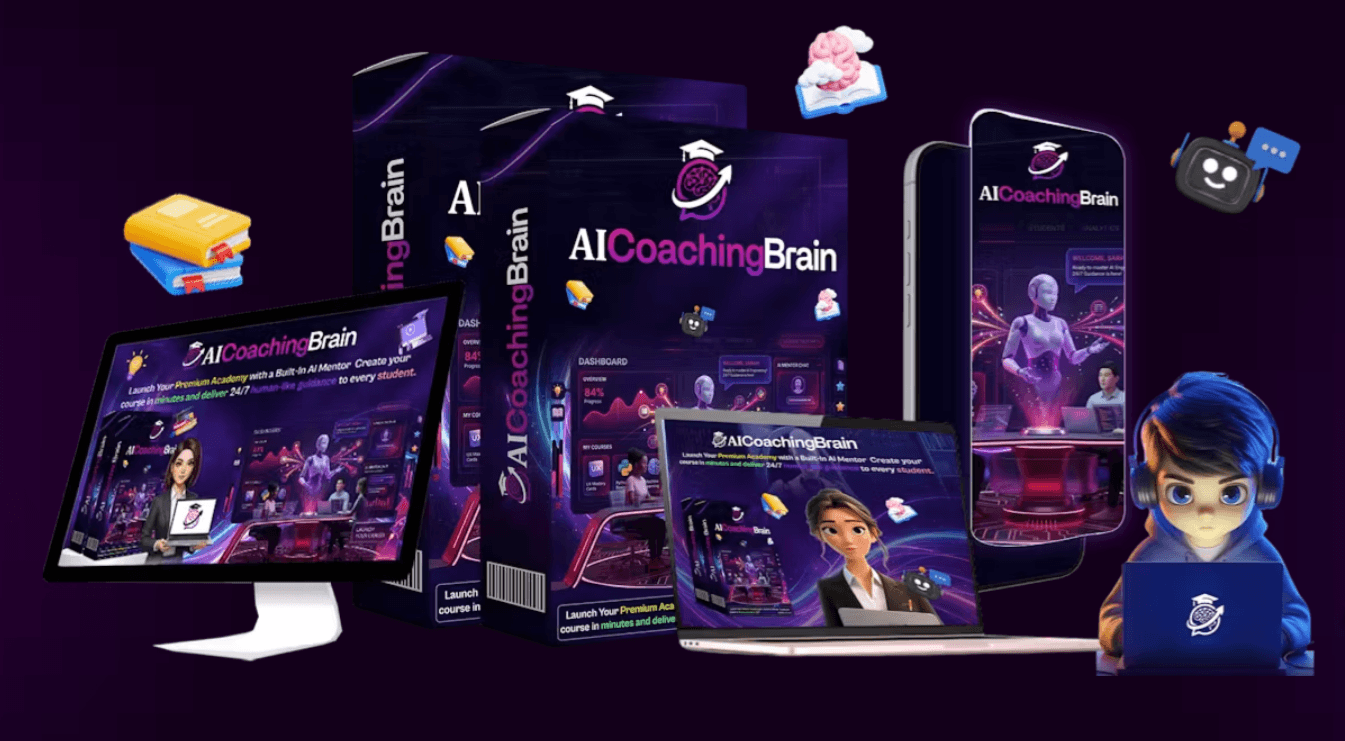
AI Coaching Brain is a cloud-based dashboard launched in May 2026 on JVZoo. It’s built to turn static content — courses, PDFs, video notes, frameworks — into interactive AI coaching portals with a built-in member area and payment integration.
It’s a one-time purchase at the front end, not a SaaS subscription. What makes it different from a plain course builder is the AI mentor widget: members can ask questions and get responses based on your uploaded content, 24/7.
Still comparing options?
See my full breakdown of the best AI website builder tools of 2026.
Rick Nguyen is the creator behind AI Coaching Brain. He’s an active digital product launcher on LaunchpadJv with multiple previous product releases in the online business and marketing tools space. His launches tend to follow the same structure: a low front-end price with several upsells behind it. If his past track record holds, support is available but response times can be slow during launch week.

AI Coaching Brain works in 3 steps.
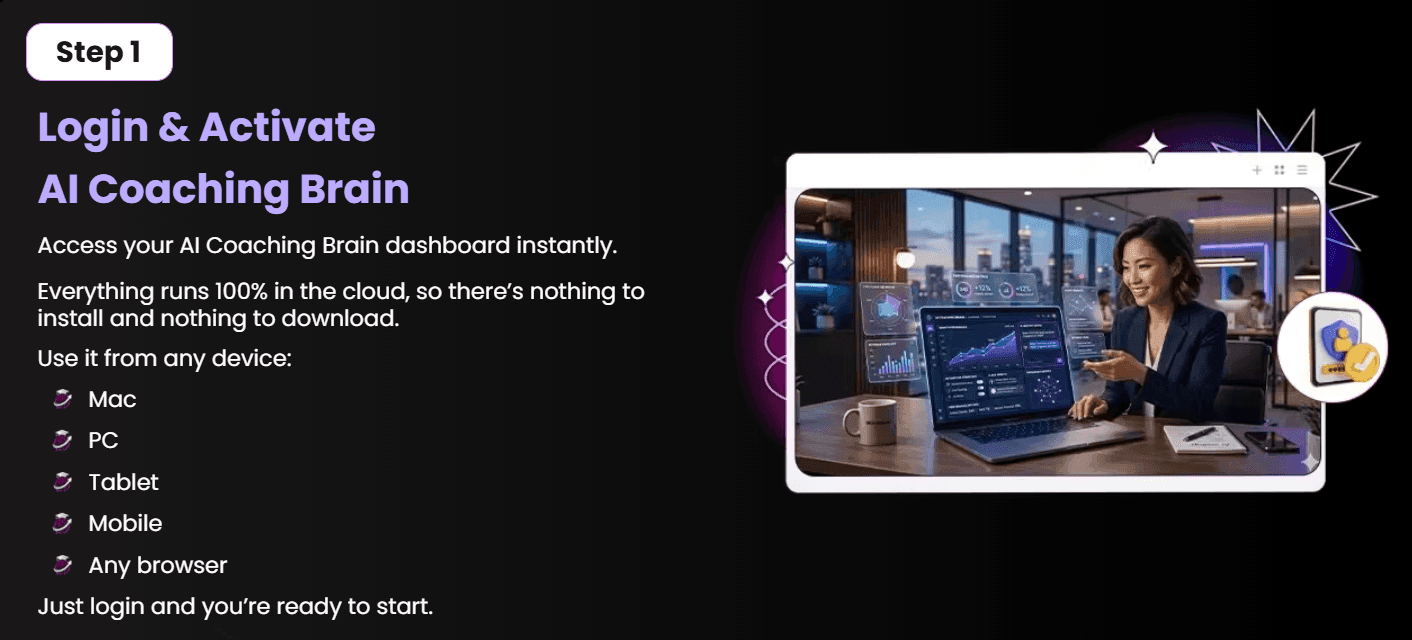
Step 1 — Log in and activate: Access the cloud dashboard from any browser. Nothing to install. You’re inside in under a minute.
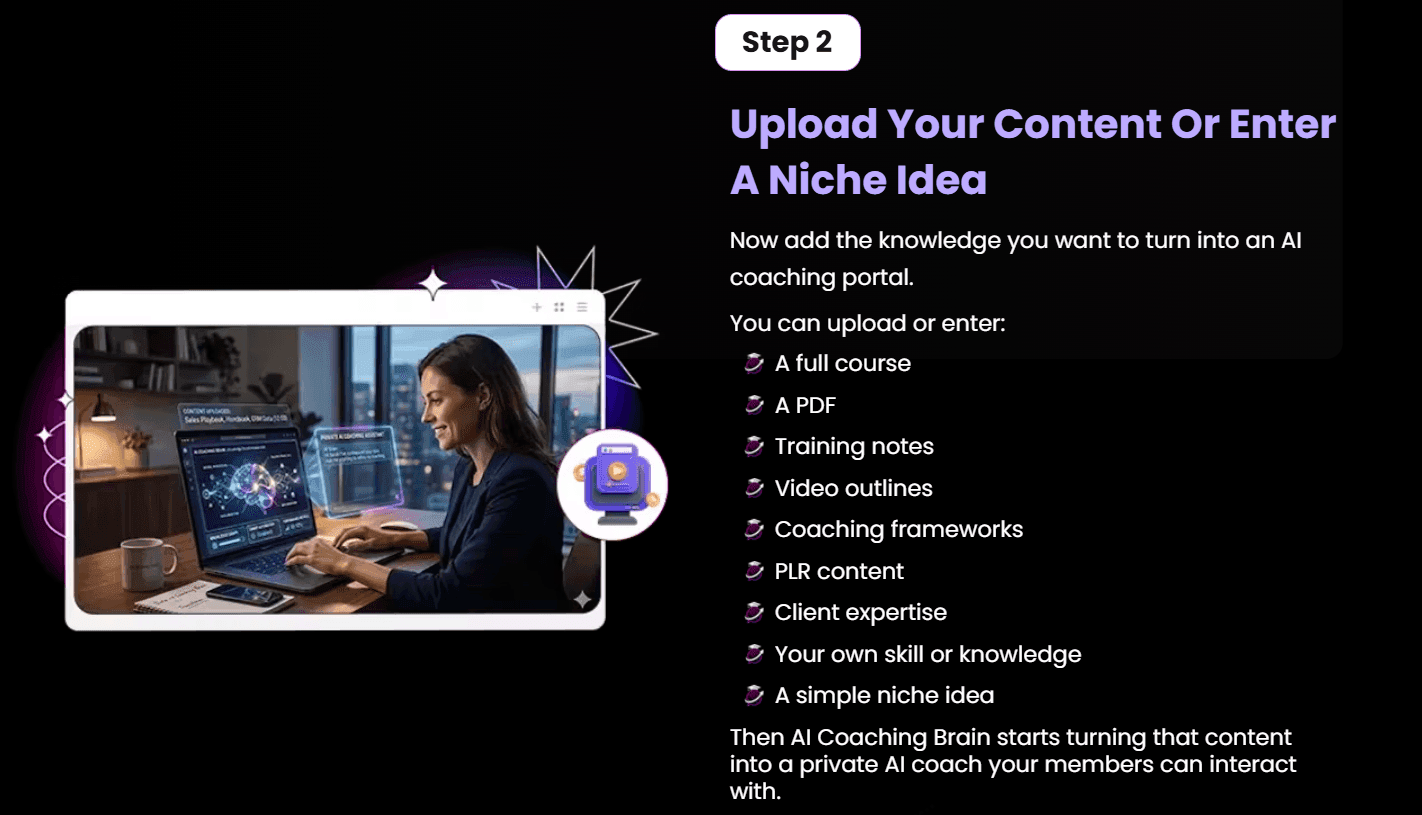
Step 2 — Upload your content or enter a niche idea: Add a course, PDF, training notes, frameworks, or PLR. The system uses this to build your AI coach’s knowledge base.
Step 3 — Launch your portal: AI Coaching Brain generates a branded member portal, AI mentor widget, sales funnel, email sequences, and VSL script around your content.
The whole setup, at least the initial pass, takes about 15 to 20 minutes.
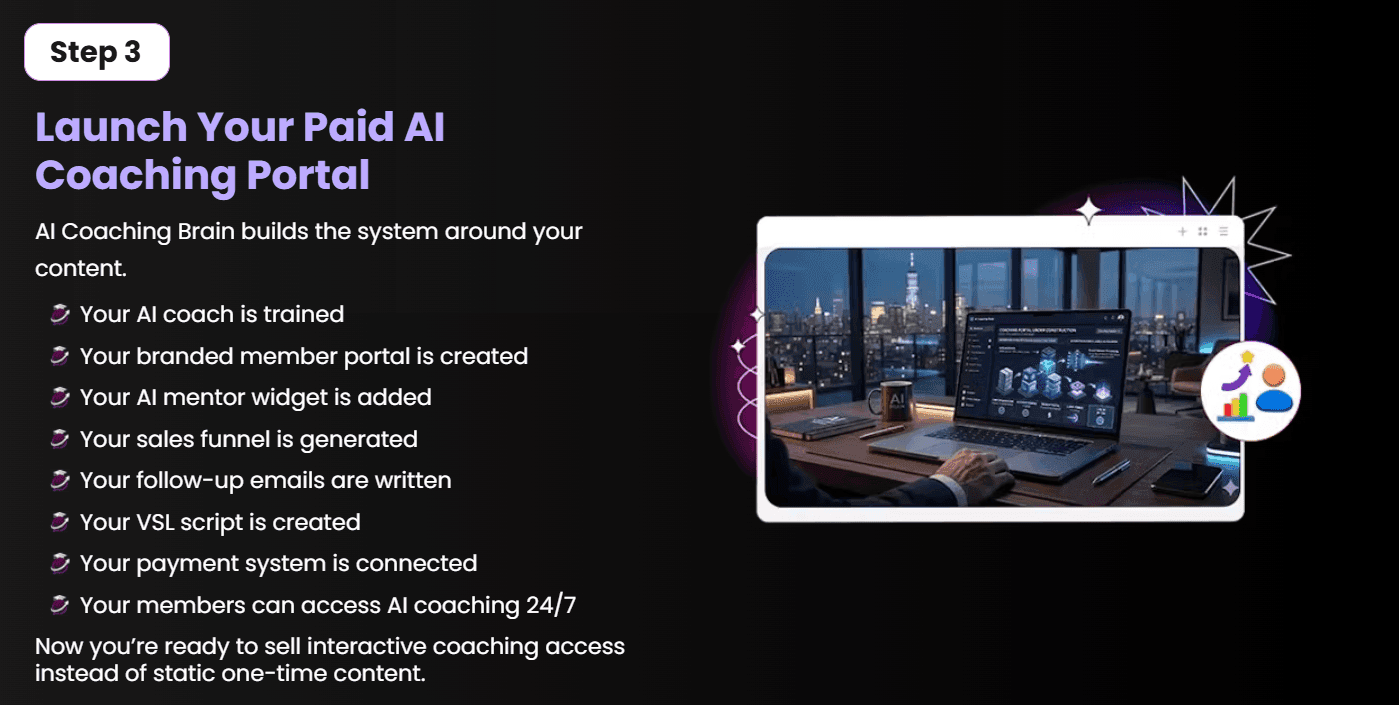
I came in with a simple use case: turn a 40-page PDF guide into a coaching portal a client could actually pay to access.
Onboarding was straightforward. The dashboard is clean and the setup wizard walks you through uploading content and naming your portal. No confusion there.
I uploaded the PDF and let the system process it. The AI Coaching Brain portal was generated in about 4 minutes, which was genuinely fast. The member login area looked professional enough for a basic launch.
Where it got rough was the AI Mentor Widget. When I tested it using AI Coaching Brain features — asking questions a real student might ask — the responses were generic and pulled surface-level text from the document. It didn’t paraphrase, explain, or guide the way a real coach would. The sales page calls it “human-like guidance.” That’s a stretch.
The funnel generator and email writer produced workable drafts, but they needed real editing. The VSL script was templated and obvious.
After 2 weeks, my honest take: the portal builder works. The AI coaching part needs expectations managed hard.
AI Coaching Brain Engine This is the core function. You upload content and it builds a knowledge base your AI mentor draws from. Real-world use: I uploaded a fitness PDF and the coach answered basic questions correctly. Limitation: deep or nuanced questions got generic answers that didn’t match what was in the document.
Paid Member Portal Builder Generates a branded login page where members access content and the AI mentor. Looks clean out of the box. Limitation: customization options are limited without the OTO upgrade — font, color, and layout control is basic at the front-end level.
Funnel and Email Generator Builds a sales funnel page and email sequence based on your portal topic. Drafts were about 60% usable. Limitation: the copy reads templated. You’ll spend 30 to 45 minutes editing before it’s ready to publish.
Stripe and PayPal Payment Integration Connect your payment account directly through the dashboard. Recurring payment setup is included. Limitation: Stripe setup requires a brief configuration step that isn’t explained in the main dashboard — you have to dig into the help docs.
I’m recommending this with a clear condition: buy the front end, test it, and decide about OTOs only after you’ve built your first portal.
The one-time price is the strongest argument here. SaaS alternatives for member portals with AI chat run $49 to $149 per month. At $17, even a partial solution pays off fast. If you get one paying member from it, you’re already ahead.
The portal builder genuinely works and the output looks credible for a small launch. You don’t need design skills or a developer. That alone saves real time and money for solo creators.
The commercial license is included at the front end. You can build portals for clients and keep what you charge. That’s a practical income angle with a low entry cost.
My one reservation: don’t expect the AI mentor to replace real coaching depth. It’s a smart FAQ widget, not a thinking partner.
One of the most underrated advantages of AI Coaching Brain is that you can use it to offer services to clients — starting today.
These are real income opportunities — not theory.
The front end runs $17 at launch (coupon AICB5 takes $5 off the full funnel). For most beginners building their first portal, the front end covers the core workflow: upload content, generate a portal, connect payments.
That said, several features referenced in marketing copy sit behind OTO gates.
| # | Name | Price | What it does | Who needs it | Worth it? |
|---|---|---|---|---|---|
| OTO 1 | AI Coaching Brain Upgrade | $28 | Unlocks advanced portal features and more customization | Anyone building more than 1 portal | Only if you’re building multiple portals |
| OTO 2 | AI Coaching Brain Pro | $48 | Additional AI coach capabilities and expanded content types | Power users and agencies | Only if the base AI responses feel too limited |
| OTO 3 | AI Coaching Brain DFY | $26 | Done-for-you templates and pre-built coaching portals | Beginners who want a faster start | Yes, for true beginners |
| OTO 4 | AI Coaching Brain Agency | $38 | Agency dashboard to manage multiple client portals | Freelancers with 3+ clients | Only if you’re actively doing client work |
| OTO 5 | AI Coaching Brain Reseller | $62 | Right to resell the product and keep commissions | Experienced affiliate marketers | No, unless you have an existing email list |
| OTO 6 | AI Coaching Brain Whitelabel | $47 | Remove AI Coaching Brain branding for client portals | Agencies needing white-label delivery | Only if clients expect custom-branded tools |
| OTO 7 | AI Coaching Brain Mastermind | $247 | Access to training, community, and direct support | Anyone wanting hands-on guidance | No — too expensive for what’s offered |
Buy the front end first. Add OTO 1 only if you hit limits. Skip OTO 7 entirely.
AI Coaching Brain comes with 36 bonuses when you purchase through this link.
| Bonus | Value | Honest take |
|---|---|---|
| Auto Content Machine | Unlisted | A WordPress plugin for auto-importing content — outdated and minimally useful in 2026 |
| SharpShopify Plugin | Unlisted | Displays Shopify products in a WordPress widget — irrelevant to AI coaching |
| SiteAnalyzer | Unlisted | Basic SEO analyzer tool — free alternatives exist and are better |
| WP Viral Click | Unlisted | Traffic plugin — generic and unrelated to the core product |
| WP Popup Pro | Unlisted | Popup builder for WordPress — available freely elsewhere |
Most of the 36 bonuses are old WordPress plugins with no real connection to the AI coaching use case. A few SEO and lead tools have marginal value but nothing here changes the purchase decision.
Not sure which tool fits? I compared the top AI website builder tools of 2026 — check it out.
AI Coaching Brain covers your purchase with a 30-day risk-free guarantee. You can build a portal, test the AI mentor, and run through the full system before deciding. To claim a refund, contact their support desk within 30 days of purchase. No conditions are listed beyond that. Your investment is fully protected.
| Feature | AI Coaching Brain | Kajabi |
|---|---|---|
| Price | $17 one-time | $149/month |
| AI Mentor Widget | Yes (basic) | No |
| Portal Customization | Limited (FE) | Extensive |
| Analytics | Basic | Advanced |
| Support Quality | Unknown | Known/reliable |
For a tight budget and a first launch, AI Coaching Brain is worth it. For a serious long-term business, Kajabi wins on reliability and depth. If you want to test whether a coaching portal can make money before committing to a monthly tool, AI Coaching Brain pricing makes it an honest starting point.
1. Is AI Coaching Brain worth it in 2026? At $17, the AI Coaching Brain review math is simple: if you close one paying member, you’ve already made your money back. The portal builder works. The AI mentor needs realistic expectations. For a first-time launch or a low-risk test, it’s worth trying with the 30-day guarantee as a safety net.
2. Can beginners use AI Coaching Brain? Yes. The dashboard is clean and the 3-step workflow is easy to follow without tech skills. Setup takes around 15 to 20 minutes for a basic portal. The step-by-step training included in the purchase helps if you get stuck anywhere.
3. How long does it take to see results with AI Coaching Brain? You can have a portal live on the same day you buy. Getting paid members is a different question — that depends on your content, your audience, and how you promote it. The tool builds the system; marketing is still on you.
4. Are the AI Coaching Brain OTO upsells necessary? The front end is functional for a first portal. OTO 1 makes sense if you plan to build more than one portal or need better customization. OTOs 5 and 7 are easy skips for most buyers. Don’t buy upsells before testing the base product.
5. Is AI Coaching Brain a one-time payment or subscription? It’s a one-time payment at the front end — $17 at launch with coupon AICB5 taking off $5. No monthly fees at the base level. Some OTOs are also one-time. Check the checkout page for current pricing before buying.
6. Does AI Coaching Brain work for different niches? Yes. The tool is content-agnostic. You can upload fitness guides, marketing frameworks, language courses, real estate training, or any structured knowledge. The AI mentor builds from whatever you feed it, regardless of niche.
7. How does AI Coaching Brain compare to Kajabi? AI Coaching Brain is significantly cheaper upfront but lighter on features. Kajabi has better customization, stronger analytics, and proven support. AI Coaching Brain has an AI mentor widget Kajabi doesn’t. Pick based on budget and how serious the business is.
8. Is there a free trial for AI Coaching Brain? No free trial is available. The 30-day money-back guarantee is the risk management here. Buy, test it fully, and request a refund within 30 days if it doesn’t work for your use case.
9. What happens after the 30-day refund window? After 30 days, the purchase is final. There’s no ongoing subscription to cancel at the front-end level. Your portal and content stay active as long as the platform runs — which is worth keeping in mind for any newer tool.
10. Who created AI Coaching Brain and are they trustworthy? Rick Nguyen created it. He’s an active JVZoo product launcher with a history of digital tool launches. His products follow a similar pattern: low front-end entry with multiple OTOs. The missing support contact details on the sales page are a real concern worth watching.
If you have content and want a fast, low-cost way to turn it into a paid portal, AI Coaching Brain delivers on the basics. The one-time price removes the monthly commitment that makes most alternatives hard to justify for a first launch.
The AI Coaching Brain review conclusion is this: buy the front end, skip the top OTOs, and treat the AI mentor as a smart FAQ layer rather than a real coaching brain. With the 30-day guarantee, the downside is fully covered.
Home / AI Tools / AI client deliverables checklist AI buying guide AI Client Deliverables Checklist: Review Before Handover By
Home / AI Tools / Google Workspace AI automation workflow AI buying guide Google Workspace AI Automation Workflow: Start With
Home / AI Tools / Lifetime AI tools checklist AI buying guide Lifetime AI Tools Checklist: What to Verify Before
Evaluate online money-making tools by checking earnings evidence, total costs, buyer fit, licensing and a small practical pilot.
Affiliate Disclaimer:
This website contains affiliate links. If you choose to purchase products through these links, I may earn a small commission at no additional cost to you. Please note that I only recommend products that I have thoroughly researched or tested and believe will provide genuine value. My goal is to help you make informed decisions. Thank you for supporting this site!


💬 Leave a Comment
Click to rate